


The Uttar Pradesh Public Service Commission (UPPSC) has invited online applications for the U.P. Technical Education (Teaching) Service Examination 2025 for 513 Teaching posts across all Government Polytechnics. The apply link is available at the bottom of the page.
| Advt. No | A-11/E-1/2025 |
| Start Date | 02 December 2025 |
| Last Date | 02 January 2026 |
| Post Name | Lecturer Mechanical Engineering |
| Vacancy | 513 |
| Eligibility | B.E/B.Tech./B.S/ Masters |
| Age | 21 to 40 years (post-wise) |
| Fee | ₹ 225/- (for gen cat) |
| Pay Scale | ₹56,100 – ₹1,82,400/- |
| Official Website | uppsc.up.nic.in |
| Apply Click | |
| Quick Links Click | |
Notification: 02-12-2025
U.P. Technical Edu. Exam 2025: Important Dates
Eligible applicants can apply online for 513 Vacancies for the Teaching post Recruitment 2025 under the Technical Education Department, Uttar Pradesh, through the Uttar Pradesh Public Service Commission (UPPSC). The online application started on 02nd December 2025 on the Official Website of UPPSC. The last date for the application, as per the Notification of UPPSC-2025, is January 02nd, 2026.
● The last date for making online fee payments is 02nd January 2026.
● The last date for fee reconciliation & correction,/Modification in the submitted Online Application is 09th January 2026.
U.P. Technical Edu. Exam 2025: Vacancy Breakup
| Category | Vacancies |
| General (UR) | 176 |
| OBC | 163 |
| EWS | 46 |
| SC | 124 |
| ST | 04 |
| Total | 513 |
U.P. Technical Edu. Exam 2025 Educational Qualification
● Candidates must have a B.E./ B.Tech./ B.S degree from a recognised University of India. OR
● Bachelor’s and Master’s degrees in relevant disciplines with a first Class in either of the two at the time of selection.
UP Technical Edu. Exam 2025: Age Limit (as on: 01.07.2025)
| Category | Min. Age | Max. Age |
| UR/OBC/EWS | 21 years | 40 years |
| OBC/SC/ST (Of UP State) | 21 years | 45 years |
| PwBD | 21 years | 55 years |
The UPPSC guideline for the Technical Education (Teaching) Examination 2025 provides age relaxation.
UP Technical Edu. 2025: Application Fee / How to pay
The applicant pays the application fee online only using a debit card/ credit card/ Net banking. ‘FEE ONCE PAID SHALL NOT BE REFUNDED’
| S.No | Category | Fee |
| 01. | General/OBC/EWS | ₹225/- |
| 02. | SC/ST/Ex-servicemen | ₹105/- |
| 03. | PwBD (Divyangjan) | ₹25/- |
Quick Links
Advertisement (English | Hindi)
U.P. Technical Edu. Exam 2025: Selection Process
Stage I: Written Examination.
Stage II: Interview.
Photo & Sign:
| Document Name | Document Size | Format |
| Photo (Colour) | Max. 50kb | JPG/JPEG only |
| Signature ( Black Ink Pen ) | Max. 30kb | JPG/JPEG only |
How to Apply for U.P. Technical Edu. Exam 2025
Step 01: Visit the official website of the Uttar Pradesh Public Service Commission (UPPSC). https://uppsc.up.nic.in/
Step 02: Click on the “Recruitment” tab and select the “Apply Online” option at the top of the page. It will lead to a new website.


Step 03: Click on the link “Apply” available at the right side of the page. It will lead to a new page.
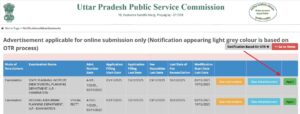

Step 05: If you have not registered before, click on ‘Click here for New Registration’; if you have registered yourself, then fill in the registration number & password, then click on ‘Submit’
Step 06: After filling the form properly, click on the “Submit” button. A login ID and password will be generated and will be sent to the registered e-mail ID and mobile number. Please note the login ID and password below for future reference.
Step 07: To upload a photo & sign, candidates must login using their Login ID and password. Check the size of the photo and sign.
Step 08: Next, make the payment using the available options. Check the application fee.
Step 09: Please preview the application form and check all the information you have filled/entered before final submission, as after submitting the form in this step, a candidate will not be able to edit/modify the application form.
Step 10: After submitting the application in Step 09, candidates are required to take a printout of the application form. Click on “Application printout/reprint”. Check the last date to print the application.


%20Service%20Examination%202025.%20Vacancies:%20513%20Age%2018%20to%2040%20years.%20Last%20Date:%2002%20January%202026...)